GudStory
No Result
View All Result
  • News
    • Politics
  • Business
    • Crypto
    • Healthcare
    • Finance
    • Automotive
    • Education
    • Industries
    • Insurance
    • Investment
    • Legal
    • Market
  • Entertainment
    • History
    • Sports
    • Gaming
  • Lifestyle
    • Health
    • Food
    • Drink
    • Fashion
    • Beauty
    • Shopping
    • Hair Care
    • Skin Care
    • Jewellery
    • Parenting
    • Culture
    • Travel
  • Home Improvement
    • Design Ideas
    • Events
    • Gardening
    • Furniture
    • Home Repair
    • Housekeeping
    • HVAC
    • Kitchen
    • Painting
    • Pest Control
    • Plumbing
  • Real Estate
    • Buying Home
    • Selling Home
    • Construction
    • Moving
  • News
    • Politics
  • Business
    • Crypto
    • Healthcare
    • Finance
    • Automotive
    • Education
    • Industries
    • Insurance
    • Investment
    • Legal
    • Market
  • Entertainment
    • History
    • Sports
    • Gaming
  • Lifestyle
    • Health
    • Food
    • Drink
    • Fashion
    • Beauty
    • Shopping
    • Hair Care
    • Skin Care
    • Jewellery
    • Parenting
    • Culture
    • Travel
  • Home Improvement
    • Design Ideas
    • Events
    • Gardening
    • Furniture
    • Home Repair
    • Housekeeping
    • HVAC
    • Kitchen
    • Painting
    • Pest Control
    • Plumbing
  • Real Estate
    • Buying Home
    • Selling Home
    • Construction
    • Moving
No Result
View All Result
GudStory
No Result
View All Result
Home Tech

Know- How to Do Screen Sharing in Microsoft Teams

Shivam by Shivam
April 18, 2021
in Tech
Reading Time: 2 mins read
0
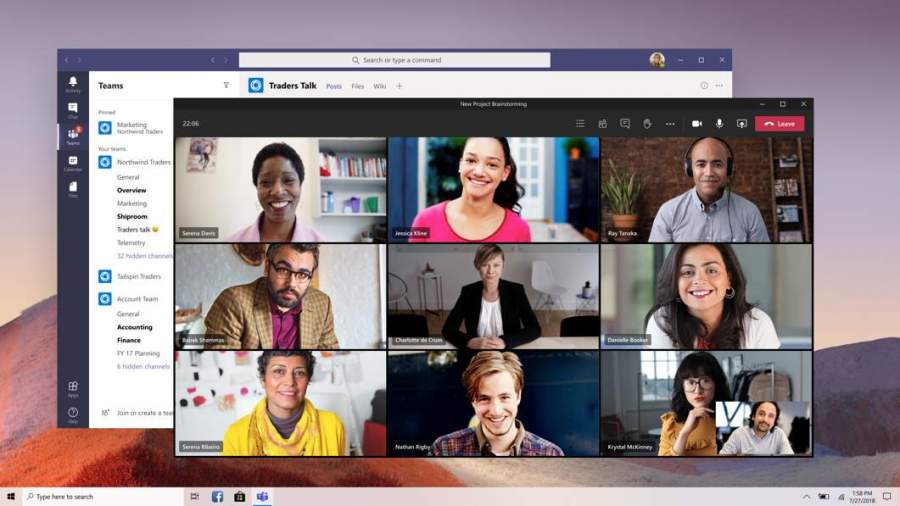
Screen Sharting in Microsoft Teams

Image credit: Microsoft Teams Blog

Microsoft Teams is one of the powerful tools to collaborate and meet. As the Microsoft Office is also part of the tool it has lots of benefits. One of the features in the Microsoft Teams is to set up virtual meetings. The person starting the meeting is the host and others are guests. The users of the tool can start the meetings from their desktop or mobile. The people who are using desktops can screen share too. Go through the steps below to know how to screen share in Microsoft Teams. You will find it very rewarding at work.

Table of Contents

Toggle
  • 1. Begin a meeting
  • 2. Press the share button
  • 3. Select what to share

1. Begin a meeting

The users can only screen share if they begin the meeting. So create or join a meeting to use this feature. You have to select the meeting and then create a meeting. Or if another person is asking you to join their meeting you have to click Join meeting. The Meeting tabs are available in the Outlook calendar.

2. Press the share button

If the meeting starts and is in progress you will be able to see lots of buttons in the middle part of the screen. You can see the options for video, microphone, ending the call and more. However, the screen-sharing options will be present in the upward arrow. This button is the share button. You can screen share by clicking on the option in the meeting. Now continue with what you are sharing.

3. Select what to share

The feature of screen sharing is not very new. But in the Microsoft Teams, it works well. When you press the share screen button the Teams tool will not immediately share your screen. There are options in it for you to control everything. The option Desktop will permit you to share the things in your desktop.

Moreover, there is a Window option that allows you to select a single window or app to share. There is an option called PowerPoint with which you can share the presentations you choose. For more options, you can have a look at the “Browse”.

ADVERTISEMENT

As we are using Virtual conference during the pandemic, the screen sharing feature has helped us to progress in our work.  There is no end to what we can achieve through screen sharing in work. Particularly, the Microsoft Teams contains lots of excellent features such as screen sharing to make your life easier. Therefore try using it at work.


ShareTweet
Shivam

Shivam

I firmly believed that there should be a hobby that helps you to earn. Thus I made my hobby of writing into my part-time profession and started to write from the last two years. My journey as a writer has enriched me.

Related Posts

wps download

WPS Download: A Collection of File Encryption Features

January 19, 2026
Why SMS Verification is Essential for Safer Online Accounts

Why SMS Verification is Essential for Safer Online Accounts

October 31, 2025
Scope of Real Time Alerts

From Social Media to Security: Expanding the Scope of Real Time Alerts

December 2, 2025
How to Use ChatGPT to Boost Your Business Growth and Innovation

How to Use ChatGPT to Boost Your Business Growth and Innovation

September 26, 2025
ADVERTISEMENT
  • Home
  • About
  • Advertise
  • Contact
  • Privacy Policy

© 2018-25 Gud Story

No Result
View All Result
  • News
  • Entertainment
  • Business
  • Lifestyle
  • Home Improvement
  • Real Estate

© 2018-25 Gud Story

