Most people pick a messaging app by accident. A client hires you and they use one thing, your family group chat lives somewhere else, a supplier insists on a third. Before long you’re running four apps that all do roughly the same job, each with its own notification behavior and its own idea of what “read” means.
For anyone running a small business or freelancing, that fragmentation costs real time. The messaging category has settled into a few broad camps: apps built around phone numbers and contacts, apps built around workplace channels, and apps built around privacy and encryption. Telegram sits in that third camp, with cloud sync layered on top, and Telegram X is the version of it that most people have never opened.
Where Telegram X Fits in the Telegram Ecosystem
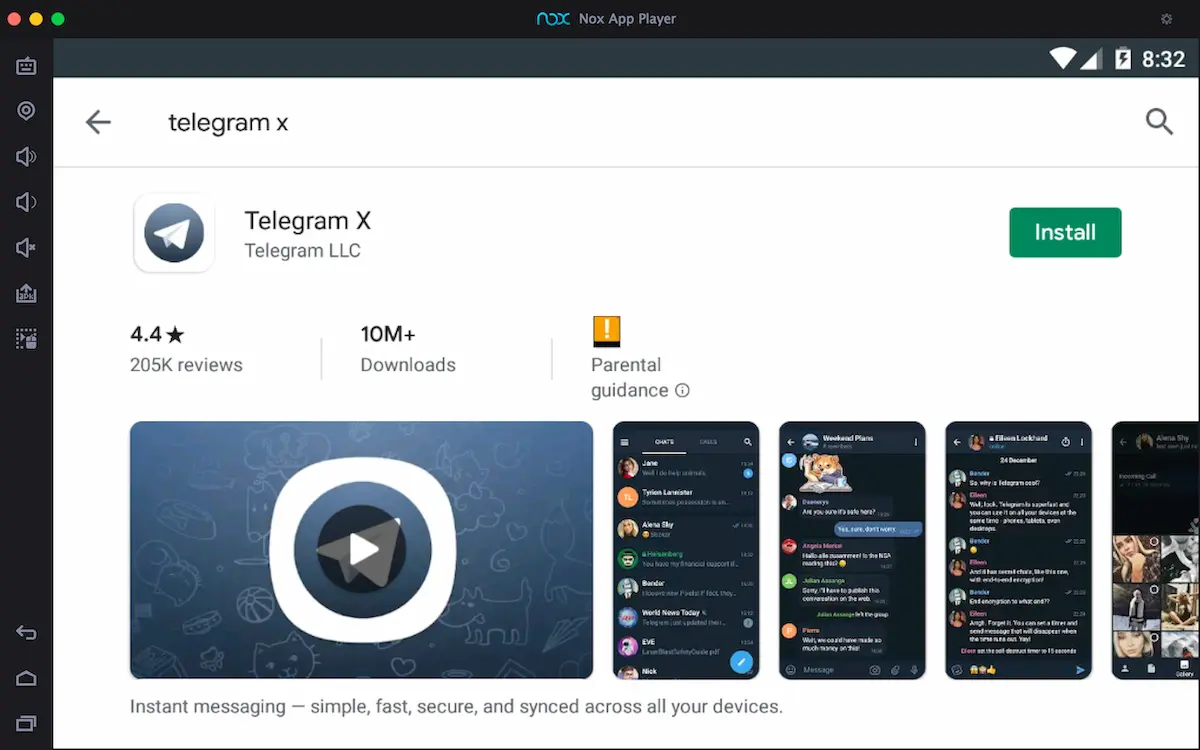
Telegram X is an alternative Telegram client, published under the name Telegram LLC, built on TDLib rather than the codebase powering the standard app. Same account, same chats, same servers. Different engine.
The store description is refreshingly blunt about what that buys you: higher speed, slicker animations, and experimental features. That’s the whole pitch. It isn’t a separate network, and you don’t create a new identity. You sign in with the number you already use and every conversation is there.
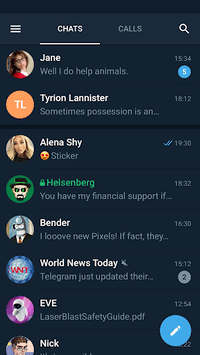
The practical result is an app that feels quicker under load. If you sit in large groups, follow busy channels, or scroll back through months of shared files, the difference in responsiveness is the reason people switch and stay switched.
Experimental Features, Explained
Experimental is doing real work in that description. Telegram X often ships interface ideas and performance changes ahead of the main client. Some become standard later. Some don’t.
That means a few things in day to day use:
- Animations and transitions are smoother and more aggressive, which reads as speed even when the network is the same
- Chat list behavior, swipe gestures, and media playback tend to differ from the client you’re used to
- Occasional rough edges show up in newer features, since this is where they get tested first
- Core messaging, sync, and security behave the same as the standard client because the account and infrastructure are identical
If your business depends on never encountering a bug in a chat app, stay on the standard client. If you value speed and don’t mind the occasional oddity, this is the better daily driver.
Security and Privacy Controls That Matter for Business Use
Telegram’s summary describes itself as simple, fast, secure, and synced across all your devices, and the sync part is what makes it workable for professional communication. Your message history lives in the cloud, so a chat you started on a phone in a taxi continues on a laptop at your desk without any manual handoff.
Secret chats are the exception, and deliberately so. They’re device-bound and end-to-end encrypted, which means they don’t sync and don’t follow you to another screen. For sensitive negotiations that’s the point. For everyday client threads you’ll want regular cloud chats.
The privacy settings deserve a slow read rather than a skim. Who can see your phone number, who can add you to groups, who can see when you were last online: all of that is adjustable per category, and the defaults are more open than most business users would choose. Setting phone number visibility to “Nobody” while keeping your username public is a common configuration for people who deal with strangers regularly.
Usernames are the other underrated feature here. You can hand out an @name instead of a mobile number, which keeps a layer between your personal line and a prospect you met once at a conference.
Running Telegram X on a Windows PC
Telegram X is an Android app. There’s no native Windows build of it specifically, so on a PC it runs inside an Android emulator, a virtualized Android environment that presents the app in a resizable desktop window. Your account syncs into it the same way it syncs to any other device.
Two details matter with this particular app. First, the login step: Telegram X authenticates by sending a code to a device where you’re already signed in, so keep your phone within reach when you first open it on the desktop, and expect to approve the new session there. Second, notifications. An emulated Android app only pushes alerts while the emulator is running, so if you close the window you stop getting pinged, which catches people out when they treat it as a background work tool.
If you want a walkthrough of the emulator setup itself, Telegram X for Windows 11 covers the file handling quirks, since dragging documents and images from a Windows folder into an emulated chat isn’t always as direct as it looks.
The payoff is a big screen for a client that was designed to move fast. Scanning long channel archives, handling file-heavy group chats, and typing real replies on a real keyboard all benefit. Media-heavy threads in particular are far easier to work through at desktop size.
When the Desktop Version Earns Its Place
If you check Telegram twice a day, the phone is fine. But if you’re coordinating suppliers, community members, or a distributed team through it, and phone typing has become the bottleneck, running Telegram X on a monitor next to your other work tools changes how much of the day you spend thumbing at a screen.
Also read: OpenClaw: The AI Assistant That Broke the Internet and Changed How We Live